How to Set Up Auto-Generated Reference Numbers for Construction Documents
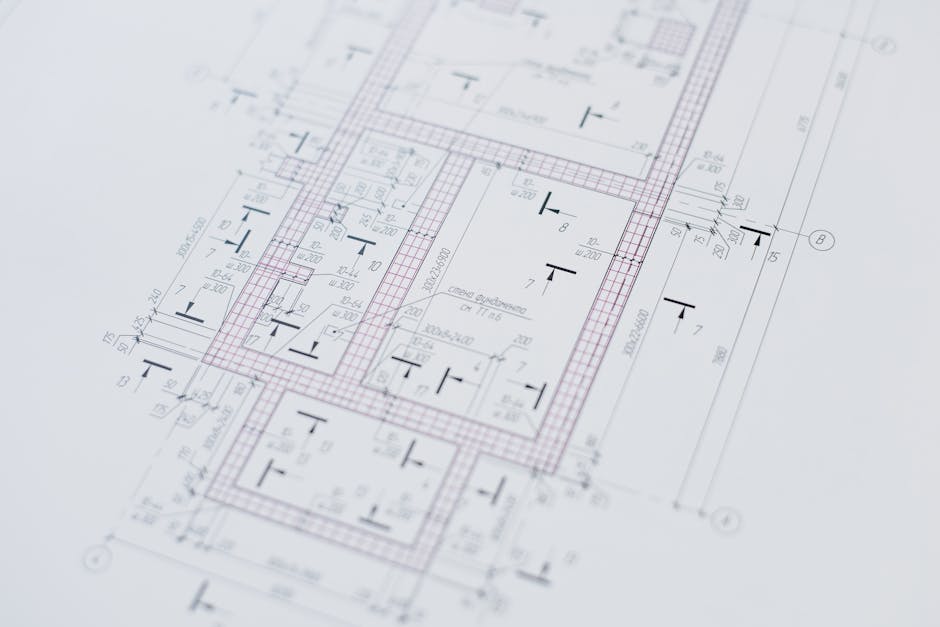
Your project just kicked off. Three contractors, two consultants, and a client — all exchanging shop drawings, material submittals, design reports, and RFIs. Within weeks, you have thousands of documents floating around. How do you make sure every single one has a unique, traceable identifier that tells you exactly where it came from, where it is going, and what revision it is on?
The answer is auto-generated reference numbers. And getting them right from day one can save your document control team hundreds of hours over the life of a project. In this guide, we will walk through how to set up auto-generated reference numbers in Mowafeq, the web-based PDMS built for multi-company construction projects.
Why Reference Numbers Matter More Than You Think
A reference number is not just a label. It is a document's identity. On large construction projects in the Middle East, reference numbers serve as the primary way to track, search, and audit documents across organizations. When a consulting engineer receives a transmittal with 40 shop drawings, the reference number on each document tells them immediately who originated it, what type of document it is, which revision they are looking at, and where it fits in the project sequence.
Without a structured numbering system, you end up with chaos: duplicate numbers, inconsistent formats across companies, and hours spent manually creating identifiers in spreadsheets. Worse, during disputes or audits, a broken numbering trail can undermine your entire document defense.
A proper reference numbering system should be automatic (no manual entry), configurable (every project has different requirements), and consistent (the same format applied across all documents of a given type).
Understanding Mowafeq's Reference Number Templates
In Mowafeq, reference numbers are generated automatically using configurable templates. Each project defines its own numbering format using placeholders that get filled in when a document is created. A typical template might look like this:
{ORIGINATOR}-{RECIPIENT}-{YEAR}-{TYPE}-{SERIAL}-{REV}
This would produce something like: ABC-XYZ-2026-SD-00142-A, which tells you at a glance that company ABC sent this shop drawing to company XYZ, it is the 142nd document in the sequence, and it is at revision A.
The placeholders available include originator company code, recipient company code, year, document type abbreviation, an auto-incrementing serial number, and the current revision. You can arrange these in any order, use any separator (dashes, slashes, dots), and include fixed text if your project standard requires it.
The serial counter increments automatically. You never have to check what the last number was or worry about two people creating the same reference. Mowafeq handles concurrency so that every document gets a unique serial, even when multiple document controllers are uploading simultaneously.
Step-by-Step: Configuring Your First Template
Setting up reference numbers in Mowafeq takes about five minutes per document type. Here is how it works:
1. Navigate to Project Settings. As a project administrator, open your project and go to the settings panel. You will find a section for reference number configuration.
2. Define your template. Choose which placeholders to include and in what order. If your project follows a specific standard (many government projects in Qatar and the GCC have mandated formats), you can replicate that format exactly.
3. Set the starting serial. If you are migrating from an existing system and already have 500 documents numbered, you can set the serial counter to start at 501. This is especially useful when combined with Mowafeq's bulk import feature, which lets you bring in legacy documents while preserving their original references.
4. Configure per document type. Shop drawings might follow one format while design reports follow another. Mowafeq lets you define separate templates for each document type within the same project, so your numbering stays organized even with diverse document categories.
5. Test it. Create a test document and verify the generated reference matches your expected format. Once confirmed, your team can start working and every new document will follow the pattern automatically.
Handling Revisions and Resubmissions
One of the trickiest parts of document numbering is revisions. When a contractor resubmits a rejected shop drawing, should it get a new reference number? In most project standards, the answer is no. The base reference stays the same, but the revision indicator changes (from A to B, or from 00 to 01).
Mowafeq handles this natively. When a document is revised, the system keeps the same base reference and increments only the revision component. The full revision history is preserved, so you can always trace back to the original submission. This two-tier tracking system (revisions for content changes, versions for format variants like PDF vs. DWG) means your numbering stays clean while your audit trail stays complete.
When a resubmission transmittal is created in response to a previous transmittal, Mowafeq automatically links the two. The consulting engineer receiving the resubmission can see exactly which original transmittal it relates to, what the previous response statuses were, and what changed. All of this is tied together through the reference numbering system.
Real-World Example: A Multi-Company Infrastructure Project
Consider a highway project with three contractors, a lead consultant, and a government client. Each contractor submits documents to the consultant for approval. The project requires that all document references follow the format: PROJECT-ORIGINATOR-TYPE-SERIAL-REV.
In Mowafeq, the project administrator sets up this template once. When Contractor A uploads a shop drawing, it automatically gets numbered HWY-CTRA-SD-00001-00. Contractor B's first material submittal becomes HWY-CTRB-MS-00001-00. Each company's serial counter runs independently, so there is no confusion or collision.
When the consultant reviews Contractor A's shop drawing and marks it as "Revise and Resubmit," the contractor revises and resubmits. The new revision is automatically numbered HWY-CTRA-SD-00001-01. No manual renaming. No spreadsheet lookups. No risk of human error.
Over the life of a two-year project with thousands of documents, this automation saves the document control team an estimated 10 to 15 hours per week compared to manual numbering in Excel.
Tips for Getting Your Numbering Right
Based on patterns we see across construction projects in the GCC and beyond, here are some practical tips:
Agree on the format before the project starts. Getting all parties to sign off on a numbering convention during the kick-off meeting prevents painful migrations later. Document it in the project document control procedure.
Keep it readable. A reference number with eight segments and 30 characters is technically precise but practically unusable. Aim for a format that someone can read aloud in a meeting without stumbling.
Use consistent abbreviations. If "SD" means shop drawing, make sure every company uses "SD" and not "SDRW" or "ShopDwg." Mowafeq enforces this through predefined document type codes, eliminating variation.
Plan for imports. If you are starting Mowafeq mid-project, use the bulk import to bring in existing documents with their original references, then set the serial counter to continue from where you left off. This gives you a unified registry without breaking the existing numbering chain.
Export and verify. Periodically export your document registry to Excel and spot-check the numbering sequence. Mowafeq's Excel export preserves all reference data, making audits straightforward.
Get Your Document Numbering Under Control
Auto-generated reference numbers are one of those features that seem simple on the surface but have an outsized impact on project efficiency. They eliminate manual errors, enforce consistency across organizations, and create the traceable document trail that every construction project needs.
If you are setting up document control for a new project or struggling with numbering chaos on an existing one, see how Mowafeq handles document control for multi-company construction projects. It takes minutes to configure and pays dividends for the entire project lifecycle.